
The PS2 original, rebuilt to run on your phone.
Black Monday Mobile brings back The Getaway: Black Monday by reading the original game's own files: its levels, characters, animation, voices, sounds and mission scripts. It runs in the browser and installs on iPhone like an app. It is built for touch first, and a controller works too.
Screenshots
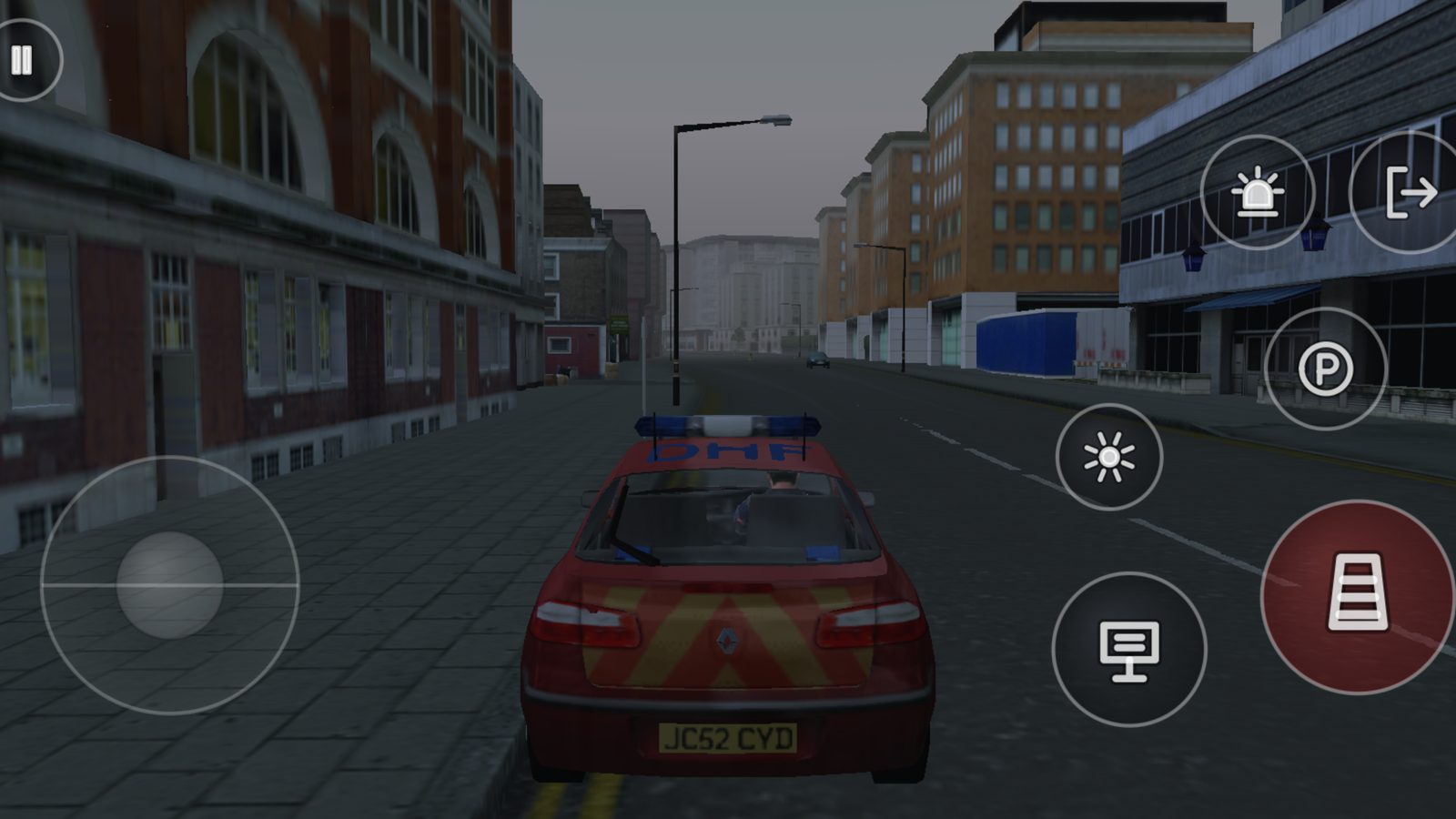
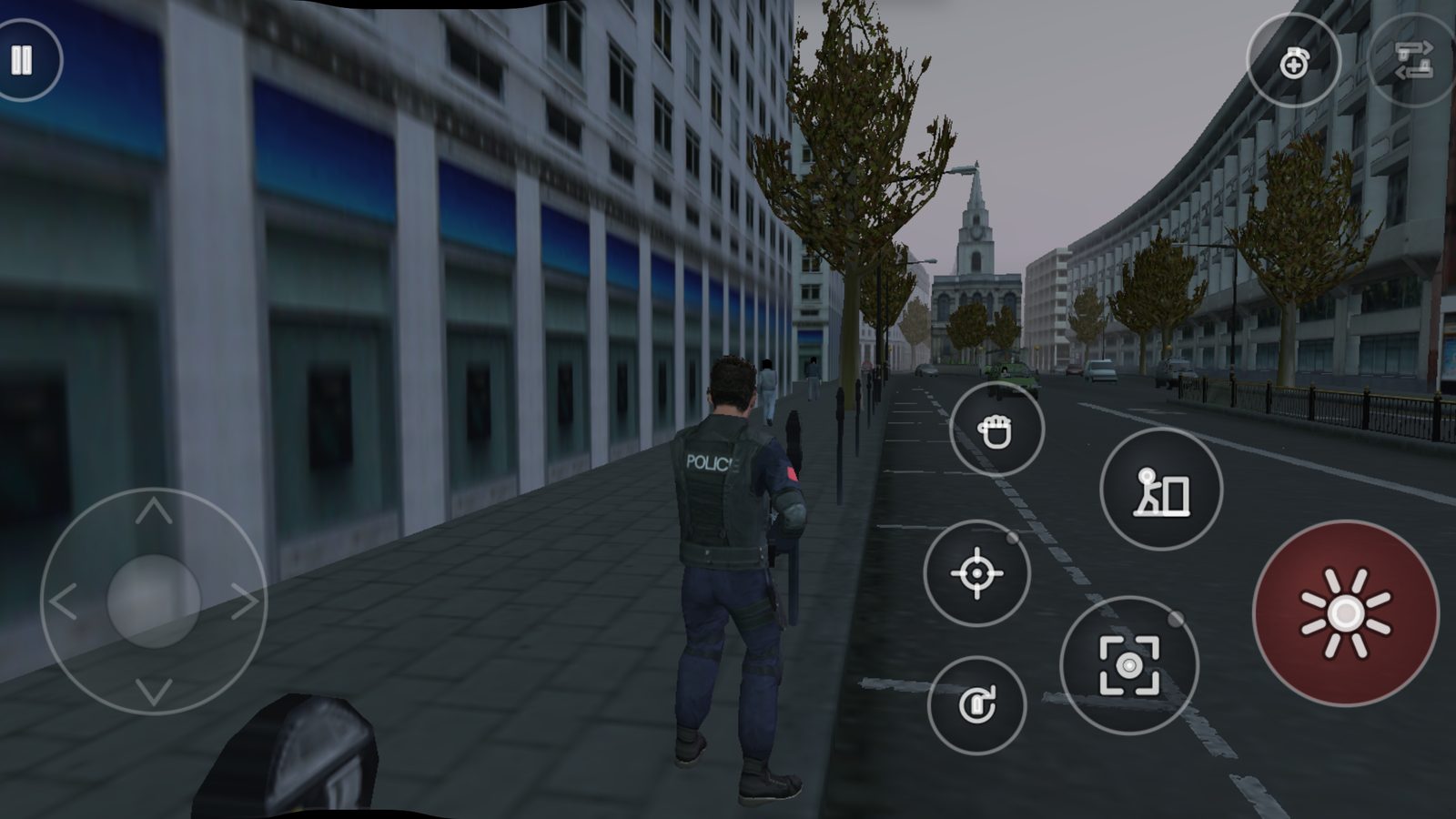
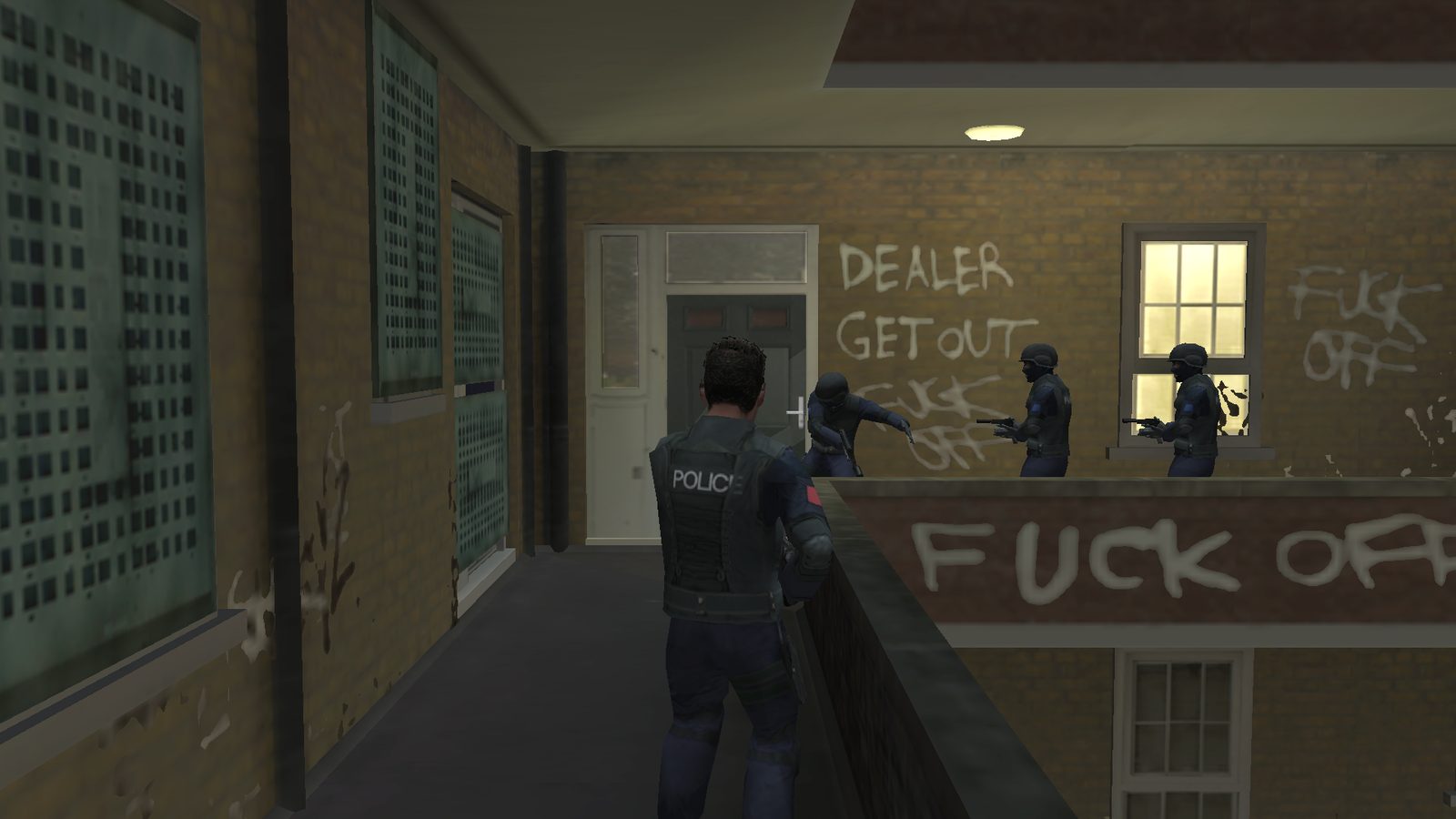
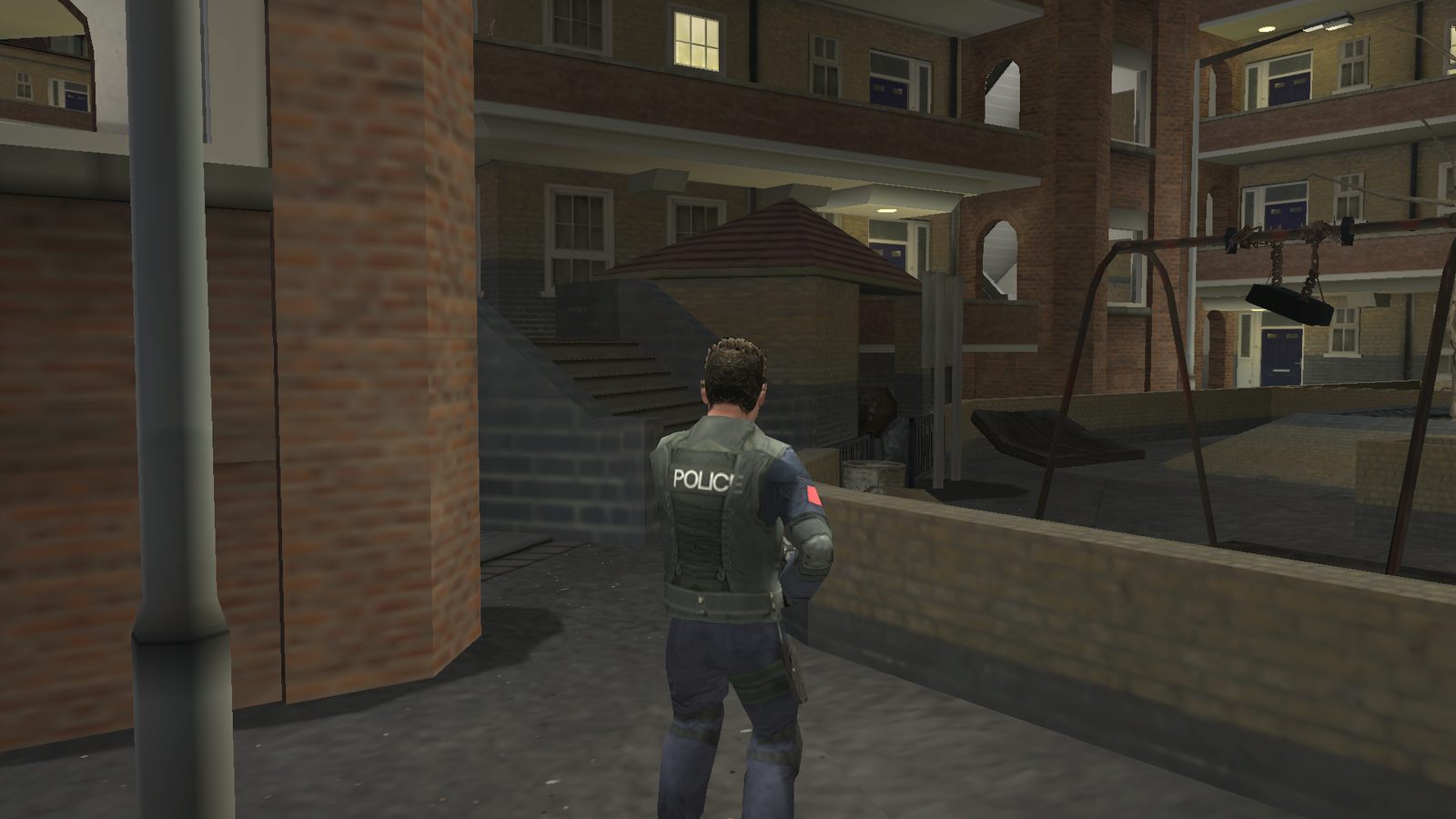
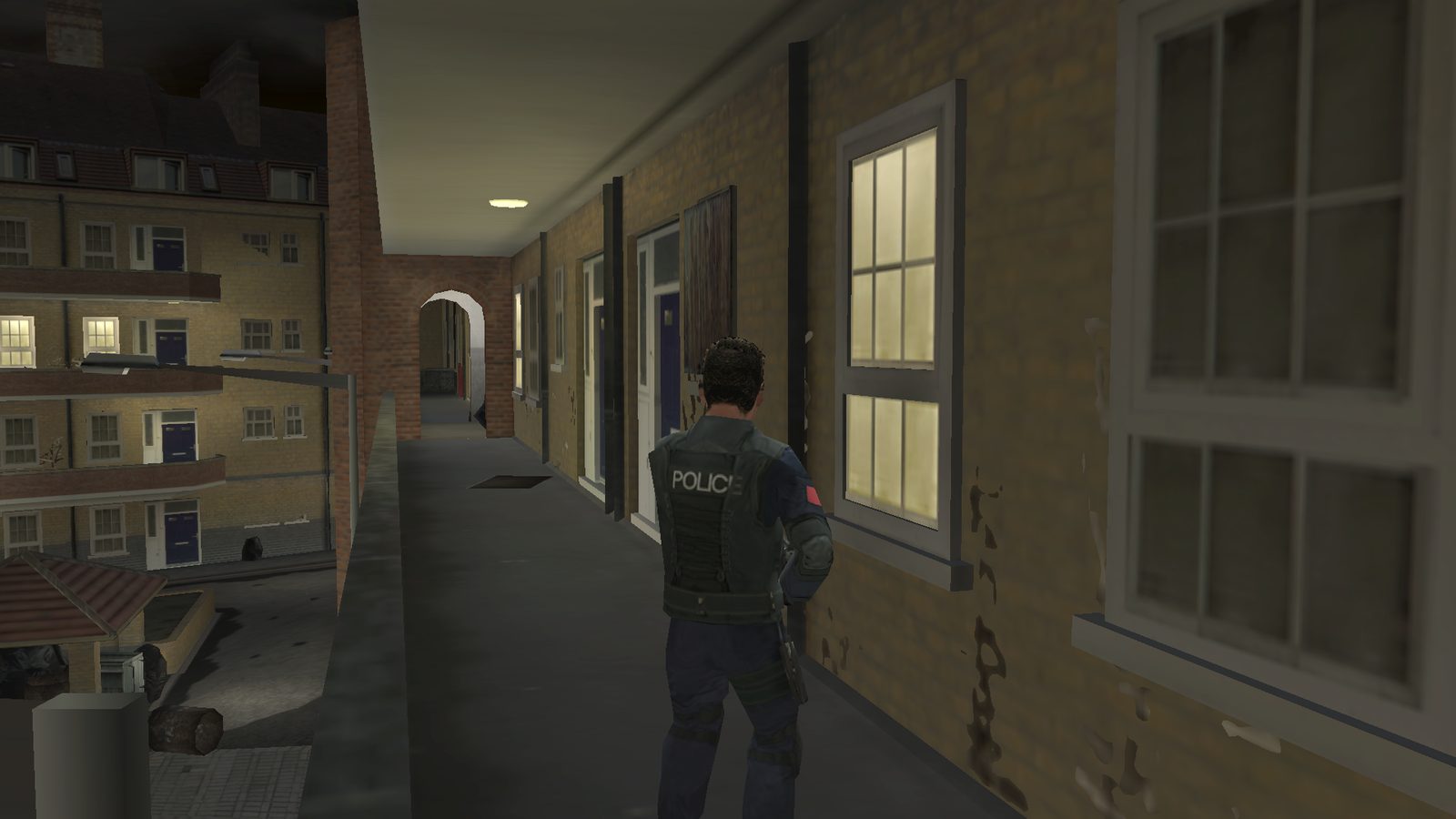
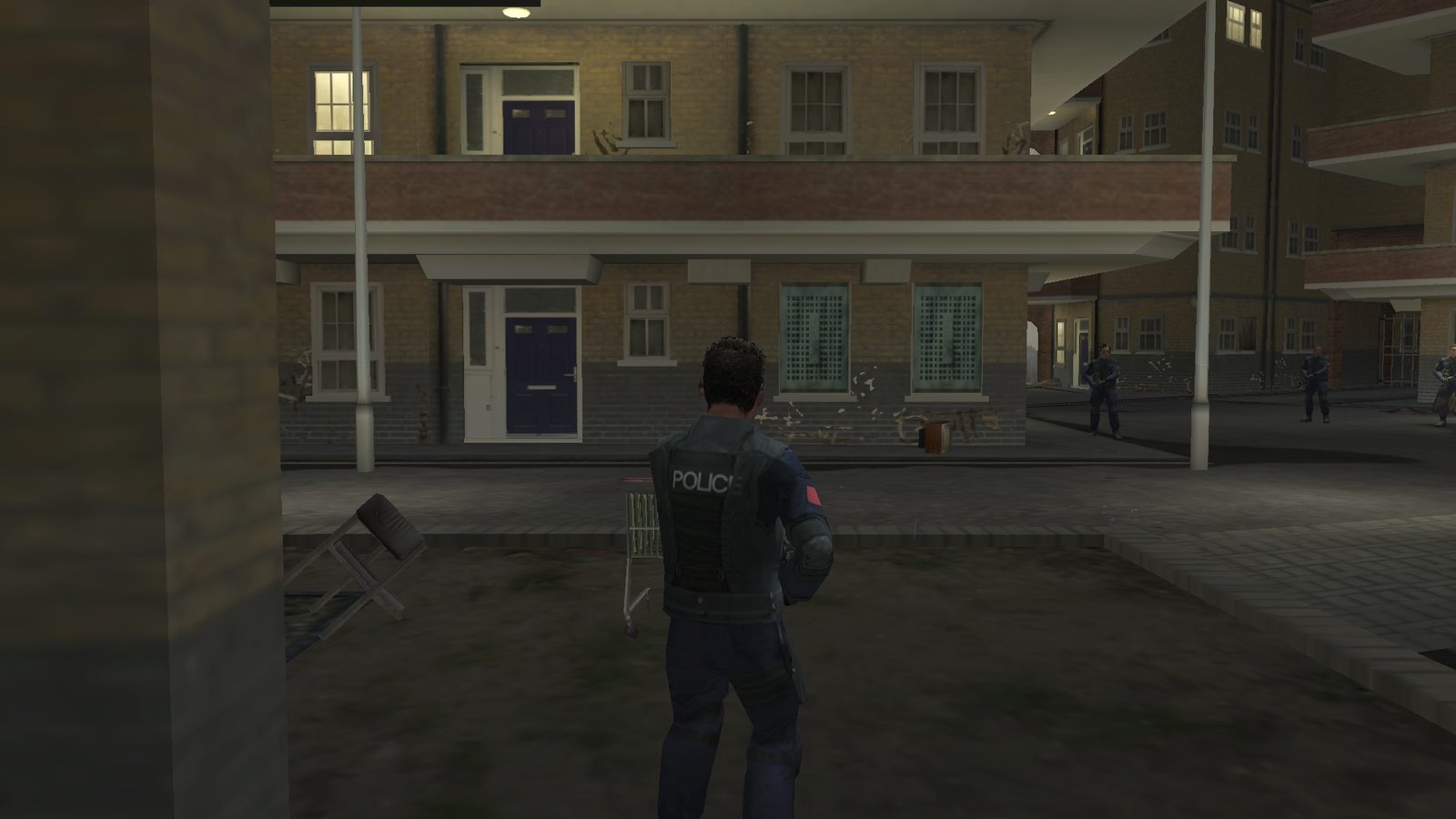
Free roaming on an iPhone 17 Pro Max, Mission 1 as it runs today, and a first look at Mission 2 from our development build. The three phone shots are straight screenshots with the black edges cropped off; the others are lightly brightened for the web and nothing else is changed.
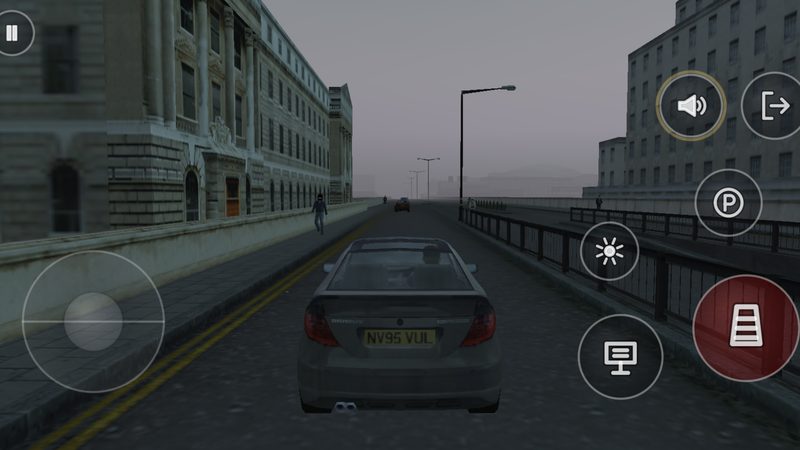
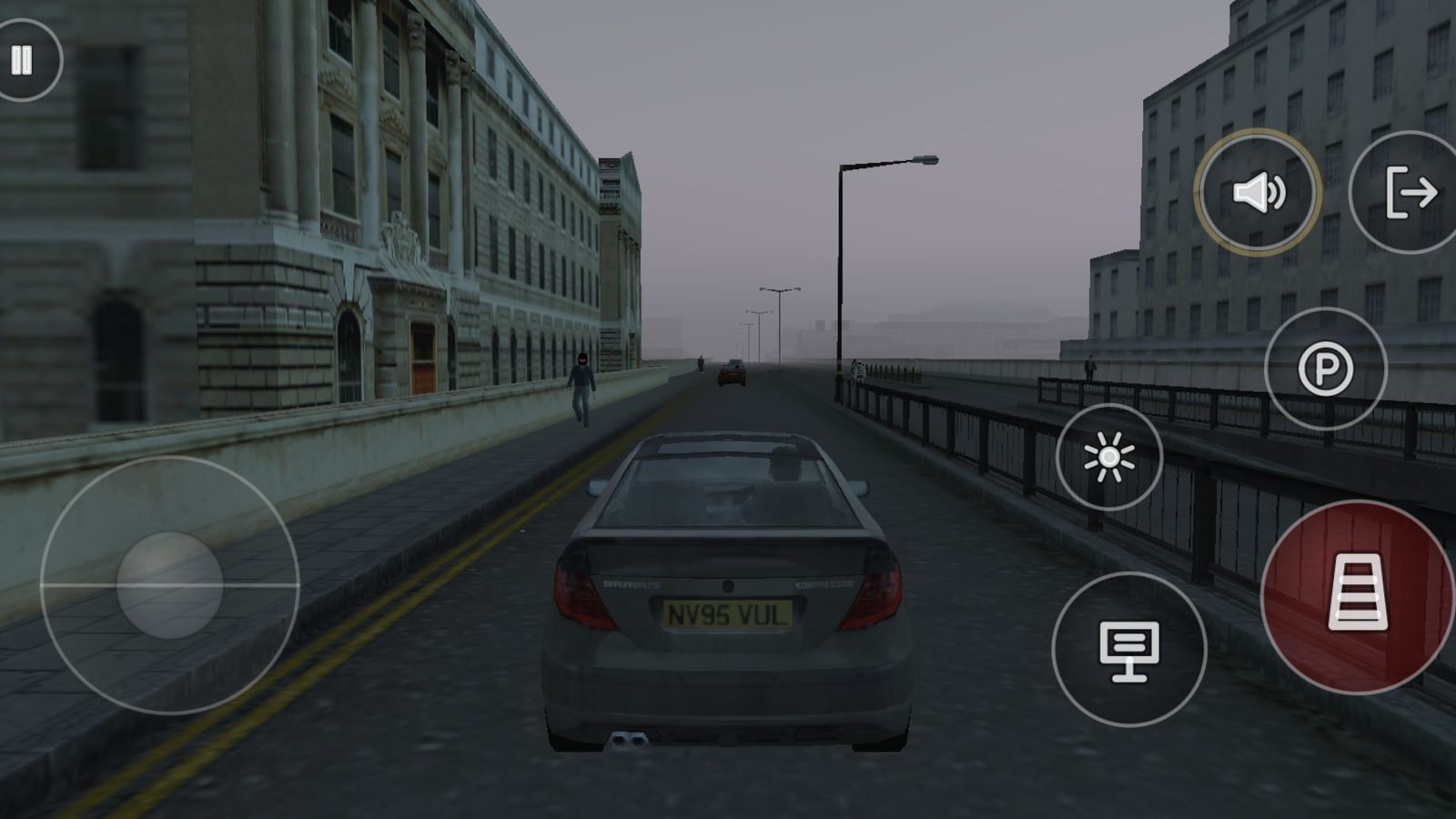
Free roaming on an iPhone. Driving a grey saloon through the city, with traffic and pedestrians ahead. Shot on an iPhone 17 Pro Max. 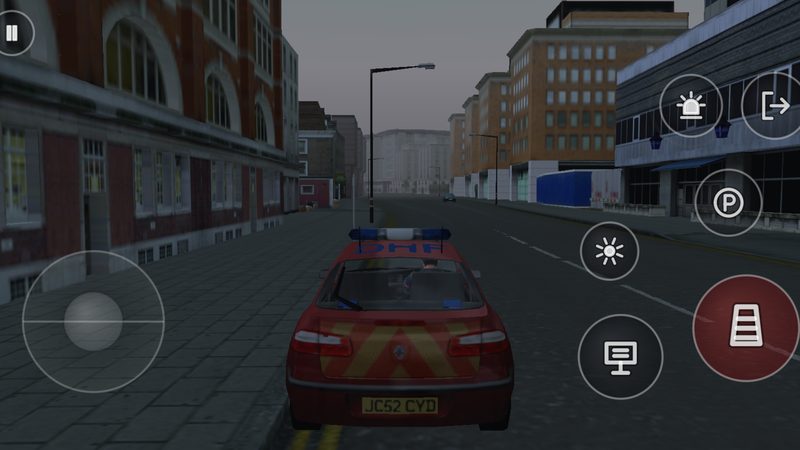
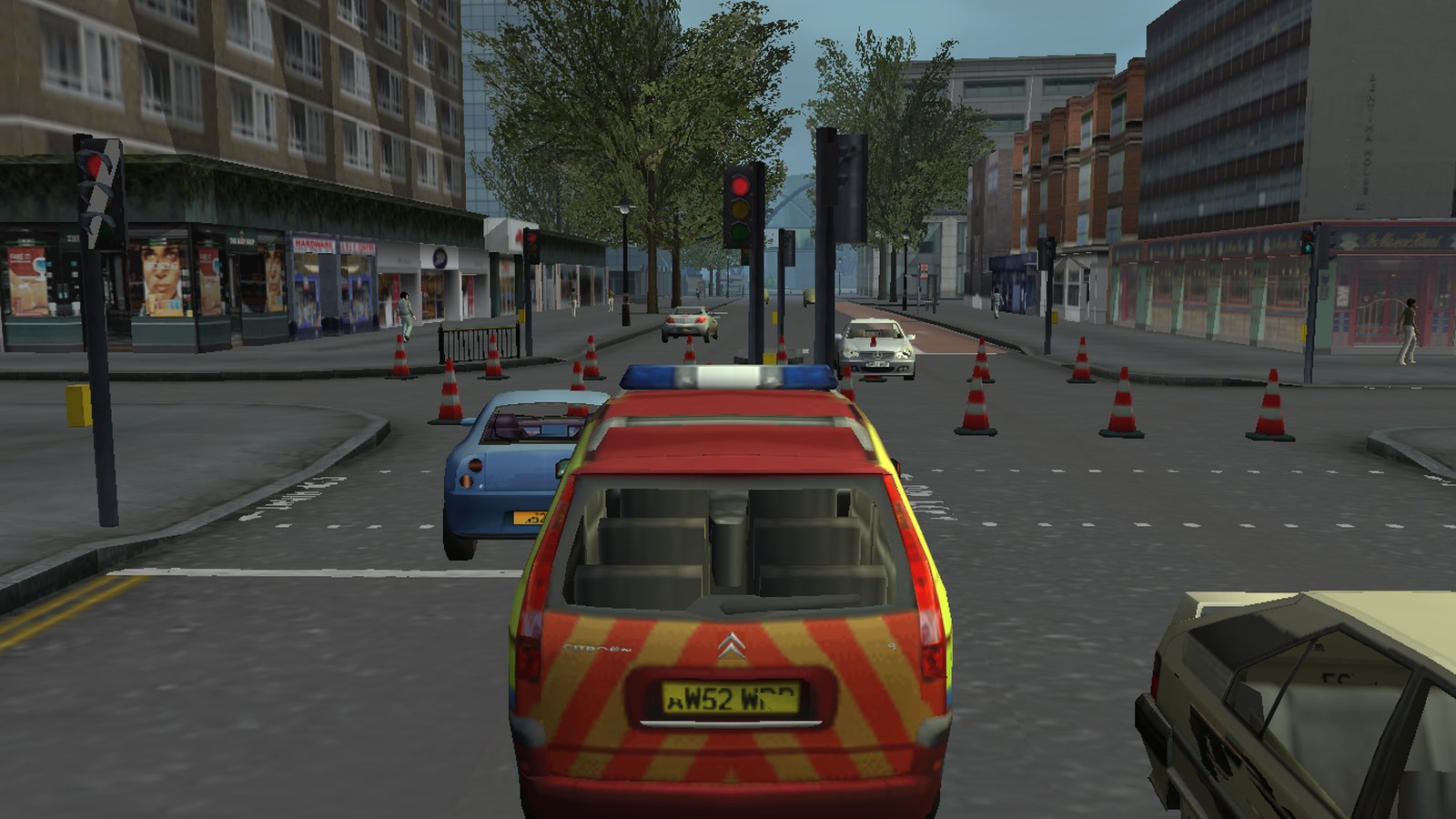
The police car. Mitch's police car in the city, with the siren and exit buttons. 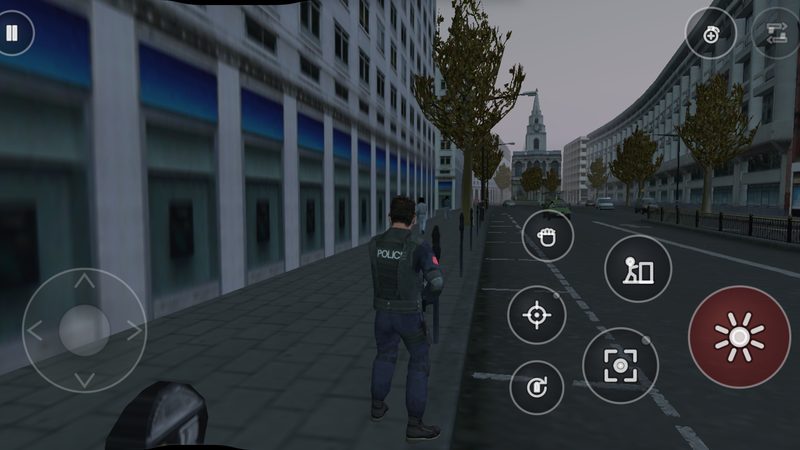
On foot. Mitch out of the car, in his police vest. 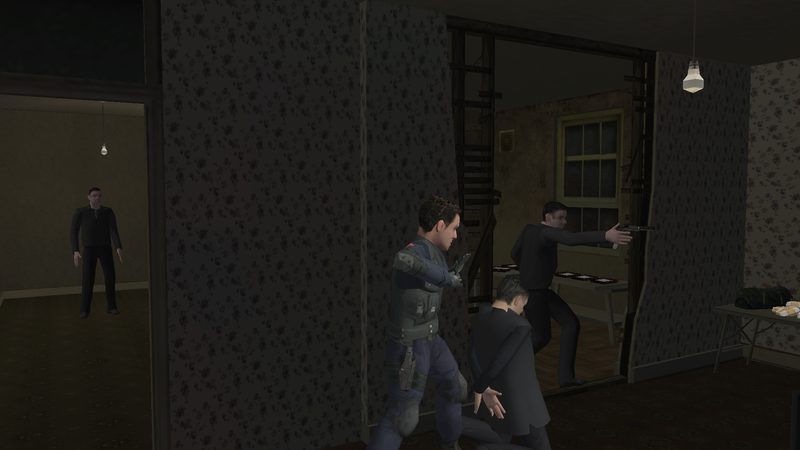
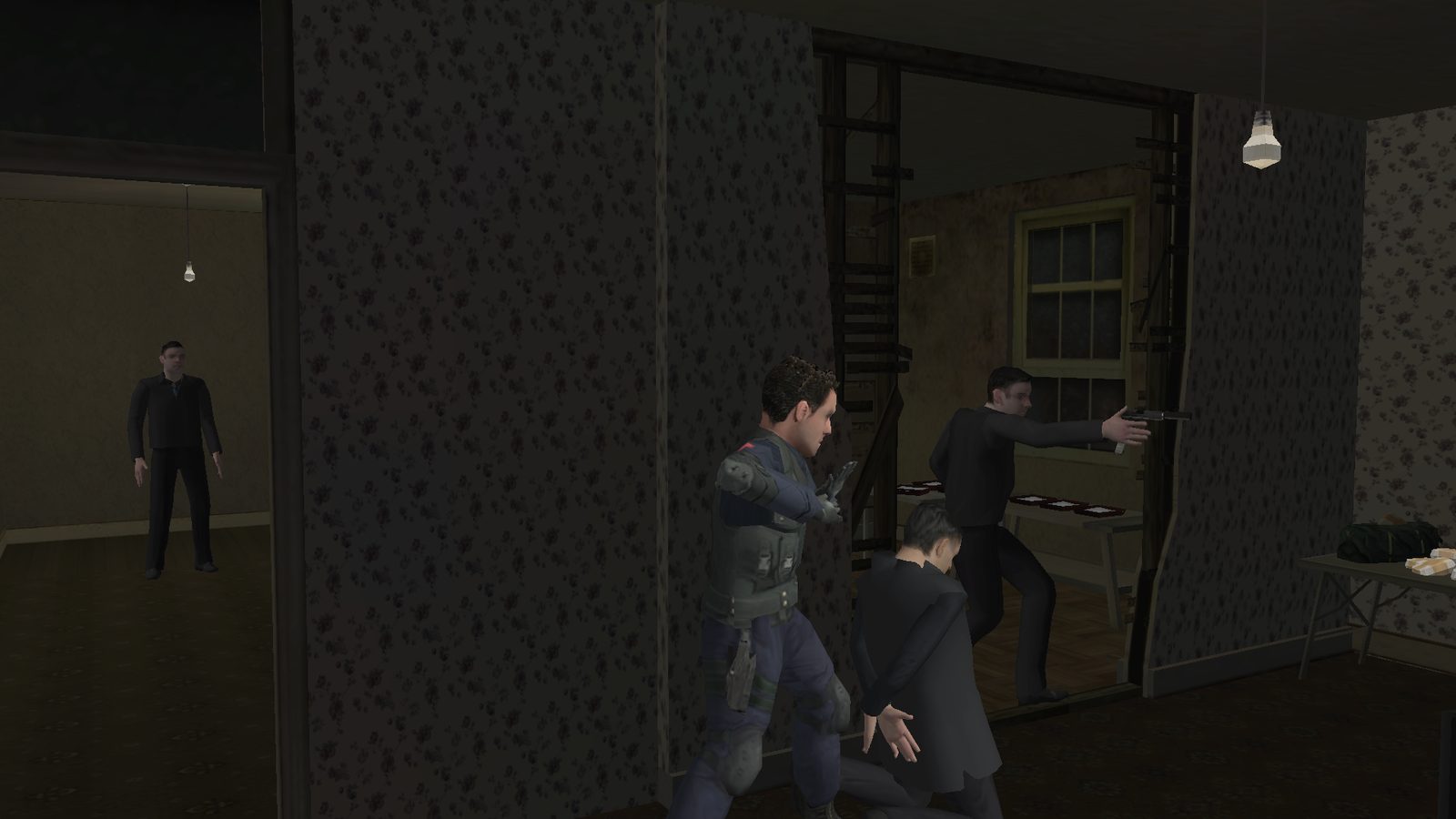
An arrest. Mitch cuffs a suspect during the raid on the flat. 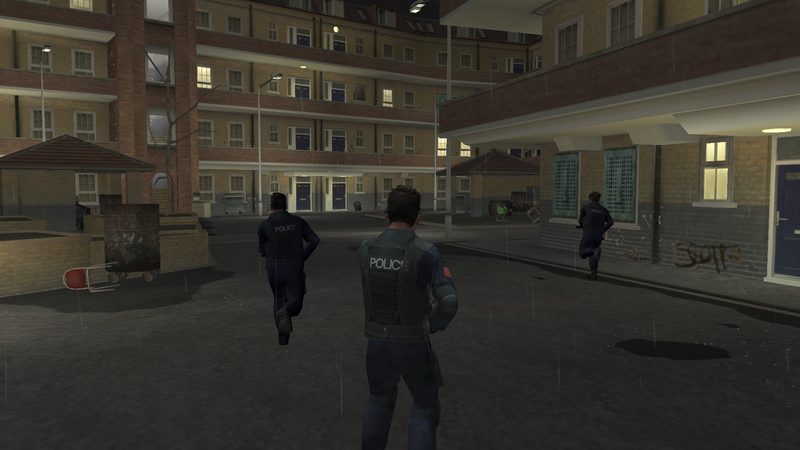
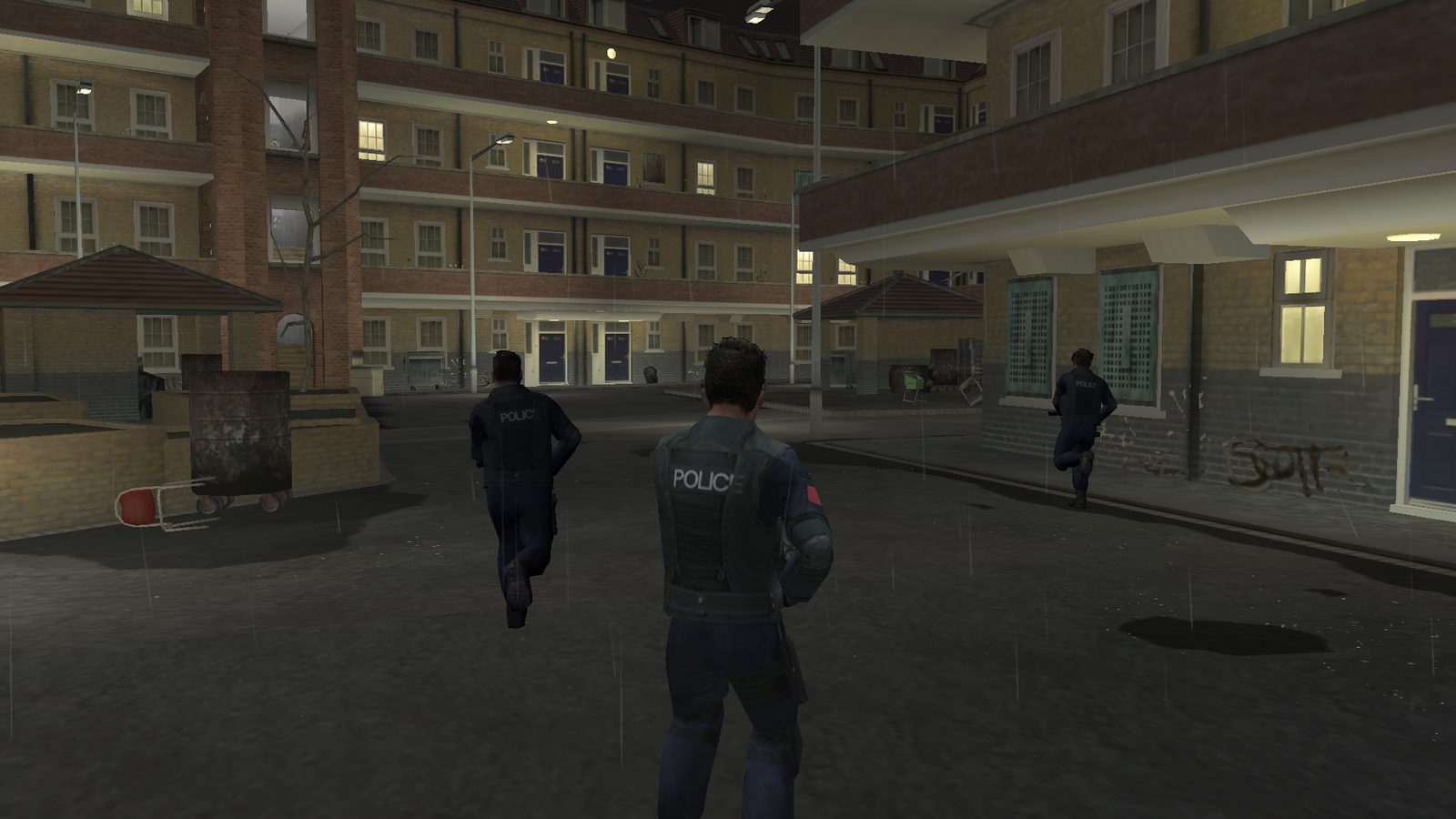
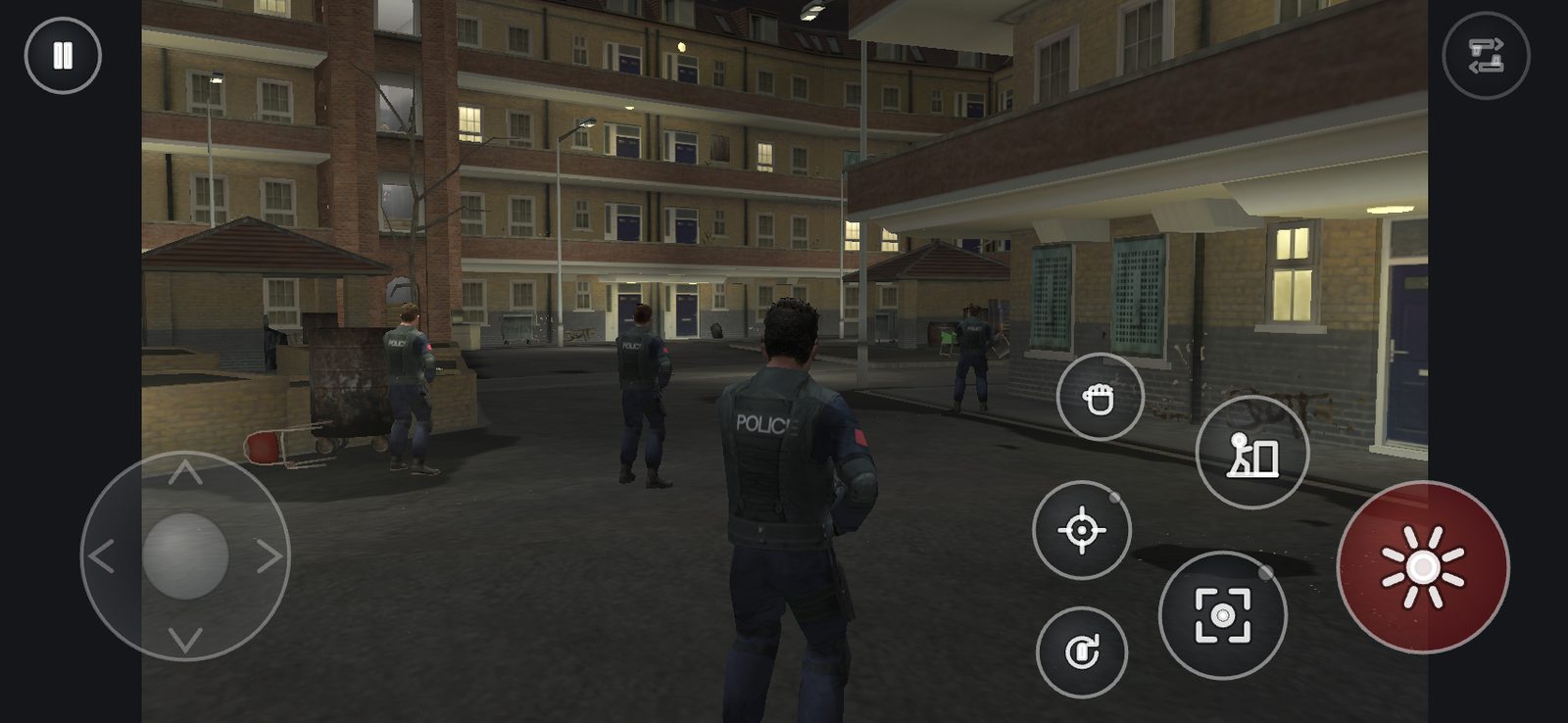
The raid begins. The armed response squad moves into the estate. 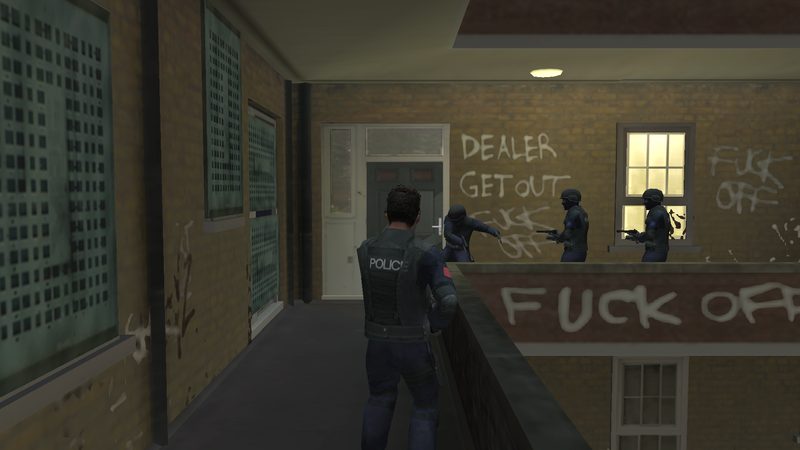
The target flat. The squad stacks up at the door before the breach. 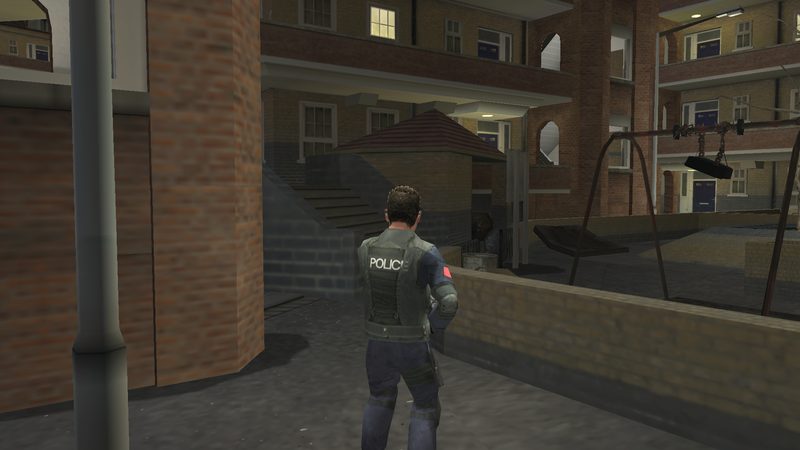
The estate. Stairs and the playground, as they are on the disc. 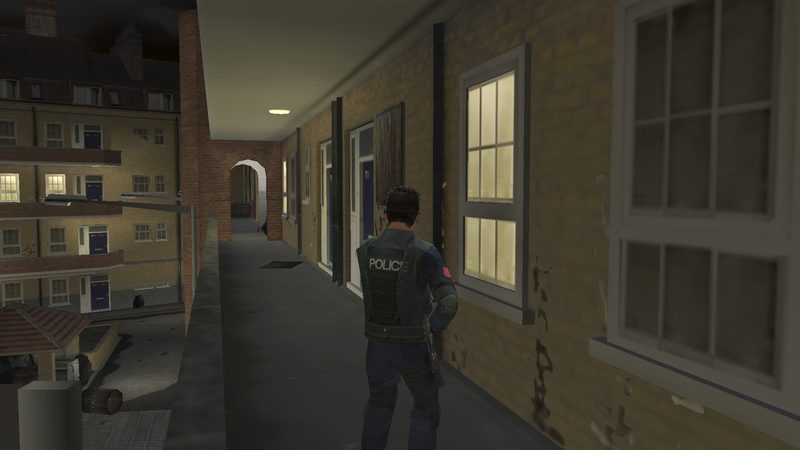
Upper walkway. The balcony walkway outside the flat. 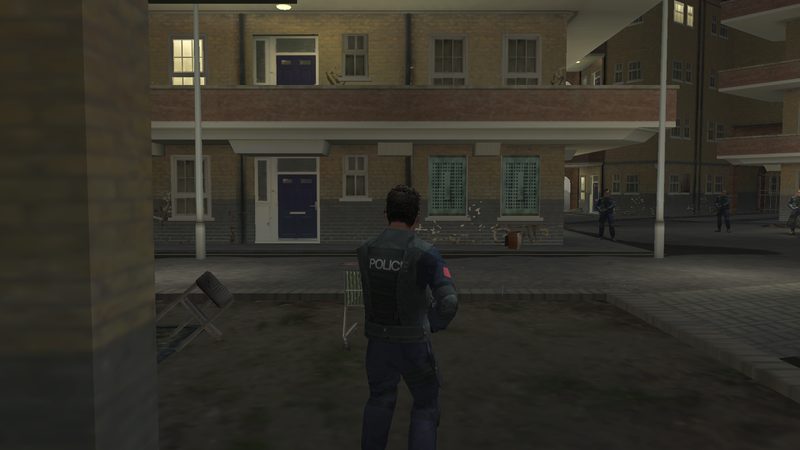
The courtyard. The estate from the side, squad on the far edge. 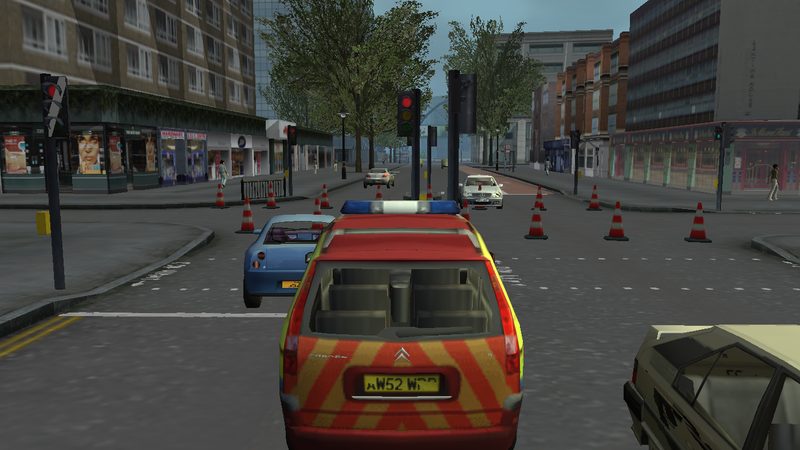
Mission 2, in development. The drive to the boxing club, in the city's own traffic. 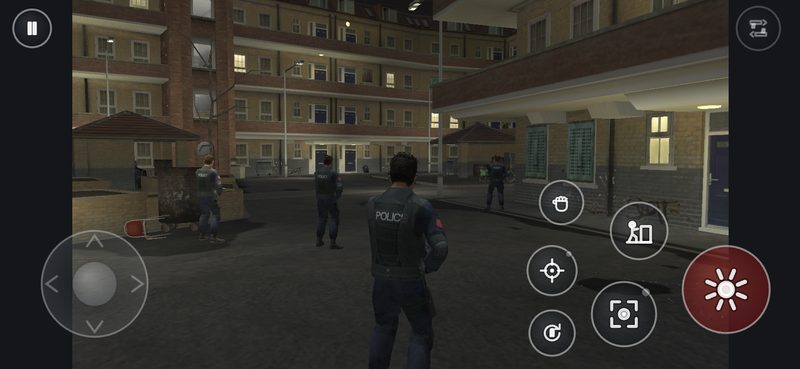
On a phone. Landscape, with the touch controls.
Not a remake
Nothing is redrawn or re-recorded. Each part of the game is decoded from the retail disc and the PS2 program itself, then run the way the PS2 ran it.
The original files
The Mission 1 estate, the 315 Soho street, all ten Mission 1 characters, their motion capture, the voice acting, the cutscenes and the sound banks come straight from the disc.
The original rules
Mitch's moves, the squad's routes, how the suspects take cover and fight back, and the mission script are rebuilt from the decoded PS2 code, down to the 25-ticks-a-second PAL game rhythm.
Every guess labelled
Each finding is marked by how sure it is: confirmed, inferred or unknown. Stand-ins are marked in the game until the real thing is found.
What's in the alpha
Night, rain, a council estate and an SO19 raid on a flat. Here is where it honestly stands: done in progress to do
- The estate and the street with their original textures and night lighting, rain that stops under cover.
- The original boot screens, intro film and main menu, redesigned for iPhone with the new logo. Leaving a game brings the intro film back behind the menu, as on the PS2.
- The original one: continue, restart, the mission briefing, options and exit, in the main menu's style. While it is open the whole game stops, sound included, and picks up where it left off. The touch-button editor and crosshair settings live under Options. Not yet checked on a real phone.
- The PS2's own: fade to black with the spinning yellow icon while a mission loads or restarts, and fades in and out of the cutscenes. Not yet checked on a real phone.
- On-screen buttons for every move, manual aim by touch, and a layout editor so you can move and resize them.
- The game's own sound effects, the Mission 1 music and the estate's background sounds.
- The mission plays from the first shot to MISSION COMPLETE on touch alone, Granny's captor included. The teaser ends with a thank-you card and returns to the main menu.
- Muzzle flashes, bullet holes by surface, enemies drop their guns for Mitch to pick up, and he switches between his pistol and MP5. When Mitch is hit he bleeds where the shot landed, and the blood only fades as his health comes back; the pistol he is not holding sits in a holster on his leg, the MP5 across his back. Close to an enemy the fire button punches (jab, jab, straight), as on the PS2.
- Your progress is saved on its own at each checkpoint and when you finish the mission. Start the app again and choose CONTINUE. Not yet checked on a real phone.
- Follow, lock-on, wall-cover, stair and death cameras rebuilt from the PS2 code; they stop at doors and furniture and stay out of the ceiling on the stairs. Still to be checked on a real phone.
- Checked scene by scene against PS2 recordings: they take cover, fire in bursts, spring out of doorways and climb in through windows, hear gunfire from up to 25 m away, keep facing you while they run, go down with one shot to the head, and Granny hides when she is freed. The police arrest suspects themselves. Not yet checked on a real phone.
- Lock-on on touch, a full run with damage on, and testing on real iPhones.
- On first launch you pick the disc image of your own copy; it is converted on your phone in a minute or two and stays there. The intro film is converted too. Now working on a real iPhone, from a real disc image.
- In the alpha's Special Features menu: Free Roaming, then Mitch. The PS2's London to drive and walk, with its traffic, bikes, parked cars and pedestrians, all read from the original's code. It needs a one-time setup from your own disc (about 0.8 GB; the game carries on from where it stopped if it is cut off). Still rough: it does not run smoothly on every iPhone yet, a thrown gas grenade can fall through the street, and the picture can come back zoomed in after you leave the app and return.
Recent builds
Every build is checked against the PS2 game. Updates go out on X first.
- 0.2.0
Free roam is in the alpha, and the game now updates itself. Free Roaming (Special Features, Free Roaming, Mitch) is part of the alpha: the PS2's London with its traffic, bikes, parked cars and pedestrians, a gun and gas grenades, crashes that dent and smash, cars you can take, and the save garages. Everything in it was read from the PS2's code and checked against the real game. It needs a one-time setup from your own disc (about 0.8 GB); if you already have Mission 1 on your phone, the game asks you to finish setting up and carries on from where it stopped. The game also tells you when a new version is ready, on the menus only and never in the middle of play, with Update now or Later, and shows what changed once. Known problems: it does not run smoothly on every iPhone yet, a thrown gas grenade can fall through the street instead of landing, and the picture can come back zoomed in after you leave the app and return.
- FR
Free roam, how it got here. Our development build now has the original's Free Roaming mode for Mitch (Special Features, Free Roaming, Mitch). He starts in his police car in the PS2's London, with the whole city, traffic, bikes, parked cars and pedestrians, all read from the PS2 code and checked against the real game frame by frame. He can get out and walk, take any car (pulling the driver out), and crashes dent the bodywork and smash windows as on the PS2. Cars hitting people, bikes and riders, the death screen and the city map behind the pause menu are in, and cars knock street props such as boxes about while lamp posts stop them dead, as on the PS2. The whole city now loads as you drive: we drove it to its far corners with no holes in the road. The newest builds fix a bug that could leave a patch of road with no ground under the car where two map tiles meet, remove cones and road barriers that the PS2 only puts out for certain missions (we checked the street on the real game), and run lighter on a phone. The free roam save garages now open their roller doors as you come near and shut them when you leave, with the door's own sound, read from the PS2 code and checked against the real game. Newest: park a car in one of the save garages and walk out, and the game keeps it there, as on the PS2; it is saved with your progress, so it is still waiting in the garage the next time you play free roam. New: free roam is part of the one import, and you no longer wait for all of it. You add your disc once; as soon as Mission 1 is converted you can play it, while the city, the traffic cars and the free roam mission are set up from your disc in the background (about 0.8 GB in all). A small white spinning icon in a corner shows it is working, Free Roaming in the menu says Setting up until it is ready and then opens by itself, with no restart. The setup only runs while the game is open and carries on where it stopped. In our tests on a computer Mission 1 played smoothly the whole time; it is not yet tested on a real iPhone. A device that already has Mission 1 is asked to finish setting up from the same disc and carries on from where it stopped. It works in our tests with a stand-in disc image in a desktop browser; the first try on a real iPhone ran out of memory a little way in, so the newest build converts the biggest part of the game in a small fraction of the memory (under half a gigabyte in our tests, down from about five and a half), carries on from where it stopped if the phone cuts it off, checks there is room first and asks you to keep the screen on. On a real iPhone it now runs all the way to Ready in about 16 minutes (716 MB stored); its menus open from that install and free roam drives on the phone, though not smoothly yet, and the picture comes back zoomed in after you leave the app and return, which we are fixing. Newest in the development build: Mission 1's hidden keyfob is where the PS2 puts it, on a walkway of the flats by the start. Pick it up and the game records it with its own sound, as on the PS2; collected keyfobs are what open Leo and Madame Celina in Free Roaming (checked on the real game). New: the weather now lights the city as on the PS2. Free roam's day runs through the PS2's own weather, and the streets and buildings take its light: olive at clear midday, grey in the overcast morning, blue at dusk. We recorded six weathers on the real game, read how its graphics chip lights the city, and our build now matches it to within a shade or two on the road and the walls; the sky's colours match too, after we found the sky was reading the camera's angle the wrong way round. New: the cars' lights glow as on the PS2. Brake lights, indicators and the police car's roof bar now shine at the PS2's own brightness with its soft halo; we read the effect from the game's code, recorded it on the real game at night and matched it byte for byte on the PS2's own frame, and the brake lights now come on when you brake in free roam. New: the sky and clouds match the PS2 down to the horizon, within about a shade, in every weather we recorded; we read how the game draws its clouds and checked it against the real game's own frames. Still to do: a few pedestrian behaviours, a crash-sound bug, and testing on real iPhones. Mitch's gun in free roam behaves as on the PS2: he carries the baton gun with one round loaded and 64 spare and reloads after every shot, and holding R1 with no one to lock on to leaves the gun down, as the original does. Newest: the gun now matches the PS2 frame by frame. We ran the PS2's own code with the button presses we recorded on the real game and our build fires, reloads and raises the gun on exactly the same frames. Shots now hit pedestrians, who fall as ragdolls as on the PS2. A bullet that reaches a driver in his seat now kills him there, and his car swerves, brakes and parks, exactly as the PS2's own code does (from standing, a hip shot usually passes over a seated driver's head, on the PS2 too). Newest: shoot a car's body and the PS2's reaction follows. The car lurches and stops, and half a second after it has stood still its driver climbs out, as we recorded on the real game and checked against the PS2's own code. New: a bullet now meets a car exactly where the PS2's own maths puts it, bike and parked car included, and a shot into a tyre bursts it, with its sound: the car swerves and brakes to a stop. Bullet hits on cars throw the PS2's sparks. New: shoot a police motorbike's rider and he is thrown off the bike, as we recorded on the real game. New: a bullet now leaves its hole in a car window, the PS2's small grey mark on the glass, sized and placed by the PS2's own maths and checked against a frame of the real game; it stays on the glass until the window shatters. A motorbike shot in its body now loses its rider's control and slows to a stop, as on the PS2. New: once a shot police motorbike has stopped, its rider climbs off, with the PS2's own get-off and on the same frame, ending where the PS2 puts him to within a centimetre (checked against the real game's own code). New: shoot a tyre of Mitch's own parked car and it bursts, and the car is handed the PS2's own driverless control for 22 frames: it drifts about a centimetre, settles and is parked again, exactly as the real game does (we ran our code inside the PS2's own frames and every byte came out the same). New: sparks, smoke, glass and blood sprays now leave the way the PS2 throws them: every particle comes from the PS2's own emitter code (checked on 8,970 particles against the real game's code), so they spread in the right cone at the right speed; small sparks no longer drift slowly. New: the muzzle flash now moves with the gun while it burns, as on the PS2 (we read how the real game ties the flash to the gun and checked it on its own frames), and traffic motorbikes now look out for walls, street furniture and people on foot exactly as the PS2's do (checked word for word against the real game's own code). New: sparks, smoke and blood sprays now leave the way the PS2 times them, each particle at its own moment within the frame instead of all at once in a clump (checked on 5,929 particles against the real game's own code). New: two gun fixes found while testing multiplayer: an automatic gun held down no longer jams after a few shots (the PS2 keeps the shot's animation at its last frame and ends it again; ours had let go of it), and the Glock 17 raises and fires again after a weapon swap (the raise checks which weapon is held, and we were passing it the wrong number for pistols). A shot passer-by also no longer leaves blood on the shooter. New: holding fire with the MP5 now works exactly as on the PS2: it fires about 12 rounds a second without a pause, because every shot restarts the firing animation, just as the original does (recorded on the real game in Mission 1 and checked shot for shot against its own code). New: half a second after you stop firing from the hip, Mitch now lowers his gun with the original's own animation (the raise played backwards), on the same frames as the PS2. New: the city map's district names are now drawn with the PS2's own text engine (its spacing, letter pairs and font), matching the real game letter for letter; EXIT GAME from free roam plays the intro film from the start and opens the main menu, as on the PS2; and a gunshot only turns passers-by's heads in free roam, as it does on the real game. Then: cars are now lit the way the PS2 lights them (the same lighting as the streets, checked against the real game's own graphics code), so the start of free roam now matches the real game's brightness to within about 2 % in the same weather; every menu word uses the PS2's text engine; and a passer-by who runs off behind you keeps running until the game no longer needs them, as on the real game. Then: the menus now look like the PS2's: the page name small and grey, the chosen item's name in big white letters, and a row of worn tabs underneath, checked against the real game. On a phone, tap a tab to see its name and tap again to open it. Newest: car windows are now drawn the PS2's way. The clear glass was missing, so the police car's rear window looked too dark; the original draws see-through car parts in two passes (the solid bits first, then a soft blended layer), which we took from the game's own code and checked against a frame recorded from the real game. The rear window is now within about 5 % of the PS2, and the roof letters are solid again. Newest: Mitch can ride a bike. Walk up to a parked bicycle, press triangle and he climbs on, rides off with cross and gets off again, in exactly the same number of frames as the real game, and the bike picks up speed just as it does on the PS2 (we compared it frame by frame). Newest: Mitch can now take a police motorbike from its rider. Press triangle beside a waiting police bike and he pulls the officer off and climbs on, on exactly the same frames as the real game (we tested it at the very spot we recorded on the PS2), and the camera swings round behind the bike while he climbs on, just as the original does. A bike that is still moving can't be grabbed, on the PS2 or in ours. Newest: getting into a car now swings the camera behind it as soon as Mitch reaches for the door, as the real game does, and matches the PS2's camera frame for frame (before, ours waited until he sat down). A police rider pulled off his bike now steps down and turns to the side exactly as on the PS2, ending where the real game puts him. And a bug found in multiplayer testing is fixed in free roam first: a passer-by shot dead no longer gets up and walks away when you come back to the spot. The game now forgets him, as the PS2 does (we shot one on the real game, ran off and came back to check). Newest: the police rider you pull off his bike now takes his first steps exactly as on the PS2. He bumps into the bike as he steps off, turns back to the pavement and walks away on the same frames as the real game's own code, and getting into a car takes exactly as long as on the PS2 (we counted both on the real game's own frames). Pedestrians now turn at the real game's own speed instead of snapping round, and walk by their walk animation's own movement — the pulled-off police rider walks along the police car and gets stuck at the same spot as on the PS2. Newest: Mitch's gas grenades. As on the PS2 he carries five; L1 (or the grenade button) draws one, hold fire to choose how far and let go to throw it overarm, matched to the real game frame by frame. Next we measured what happens after the throw on the real game: the grenade lets out a white cloud about three metres wide for about ten seconds, and anyone who stays in it, Mitch included, coughs and slowly loses health. The cloud's timing and its effect are now matched to the PS2 code. Newest: the moment the grenade leaves Mitch's hand and its flight now run on the PS2's own code in our build's physics, checked against the real game's frames with no differences, and we watched a passer-by walk into the cloud on the real game and lose health. Newest: the grenade is now in the game. L1 puts the game's own grenade in Mitch's left hand, and he lets go of it on exactly the same frame as the PS2. The grenade itself starts its gas: the white tear-gas puff and its hiss come from the grenade model, as on the PS2, and the gas cloud now hurts Mitch and passers-by at the PS2's rate (checked against the real game's own code with no differences). One bug left: in our build the thrown grenade still falls through the street instead of landing, which we are fixing next.
- v65
Widescreen, the way the PS2 does it. The original game has its own widescreen setting (Options, Screen, Aspect Ratio 16:9). We worked out what it does and checked it on the real game: the picture keeps its height and shows a third more at the sides, and text and menus keep their shape. Our wide view already worked this way, so on a phone it is now the PS2's own widescreen mode, and on an iPad the PS2's 4:3 mode. Menus, the loading icon and the sun glare now follow the mode. Not yet tried on a phone.
- v64
The camera now shows as much as the PS2 does. Measuring the real game showed that its field-of-view number is the vertical angle, and we had been reading it as the horizontal one. Every view was about a quarter too narrow: walking, aiming, taking cover and in cutscenes. Now Mitch and the world appear on screen at the same size as on the PS2. Not yet tried on a phone.
- v63
Enemies now fight from cover spots, as on the PS2. First fix from our measurements of the real game. In the first courtyard of Mission 1 the enemies used to walk right up to Mitch. On the PS2 they stop at cover spots 25 to 35 metres away and fight from there, and now they do the same: each one picks a spot only along the path it is on, as the PS2 code does. Two of them still swap spots compared with the PS2, so the police squad does not yet clear that courtyard on its own. Not yet tried on a phone.
- v62
Mission 1 measured on the real PS2 game. The original game now runs alongside our build, and we record it frame by frame: where Mitch, the camera and every character are, and what the mission script is doing. We played Mission 1 on it from the start to the end and replayed the same route in our build. Cutscenes, Mitch's running speed, the squad's opening moves and the end of the mission line up. The differences we found are listed and come next: enemies fight from further away on the PS2, and the PS2 only wakes characters up as you get near them. No change to the game in this build.
- M2
Mission 2 has started: the opening drive. In our development build, Mission 2 now runs from the police station to the boxing club. Mitch drives across the whole city with the PS2's own traffic, parked cars, pedestrians, siren, car sounds, radio dialogue and police, each read from the PS2 code and checked against it in our emulator. The raid on the club is next. Mission 2 is not in the alpha yet and has not been tried on a phone.
- v61
The arrest, checked against the PS2 code. We read how the PS2 game moves and draws a body during an animation, step by step. Mitch's handcuffing now lasts as long as his own animation, so he steps in and stands up at the end, and his grabs move him forward as on the PS2. The suspect lying well ahead of Mitch turned out to be how the PS2 draws it too. Not yet tried on a phone.
- v60
Checked against the PS2 code itself, and Mitch can punch. Each fix in this build runs the original PS2 code in our own emulator on thousands of test cases and checks that the new code gives exactly the same answer every time. Close to an enemy, the fire button now throws punches, jab, jab, straight, as on the PS2, unless you are locked on or aiming. Mitch flinches when he is shot and can no longer die halfway through a roll; raising the gun plays its animation first; the mission fails when the death animation ends; enemies share their line of sight as the PS2 does and follow the level's own route table; voices come from where people stand and fade with distance; street sounds fade through doorways; and the MISSION FAILED screen is the PS2's own. Not yet tried on a phone.
- v58d
Report a bug from the game. The main menu now has a REPORT A BUG button that opens our Discord, where #bug-reports keeps one post per bug. The thank-you screen after Mission 1 points to the Discord as well as @blackmonday2027 on X.
- v58
The Mission 1 alpha is out. Mission 1 now plays from the opening cutscene to MISSION COMPLETE on iPhone, using your own copy of the game. It is an early build, so there will be bugs and rough edges; the game now says so on a new screen when it starts. Please report anything you find to @blackmonday2027 on X.
- v57
Stairs, the raid, the holster and the swap button. From the iPhone test: on the stairs the camera could swing out over the other half of the stairwell and end up inside the flight above. It now pulls in toward Mitch whenever a flight is over its head. When the squad storms the flat, the officers no longer all aim and stare at the men inside: the PS2 only lets police raise a gun at someone armed, so they jog in at full speed, as in the footage. Mitch's pistol now sits in a holster on his right thigh and the MP5 across his back, at the exact spots the PS2 code uses. The weapon swap button works again even with game files added before October 9. Not yet tested on the iPhone.
- v56
Pause means pause. Opening the pause menu stopped the mission but not the world: people kept walking and moving, and the sound kept playing. Now everything stops, as on the PS2, and the music, voices and street sounds carry on from the same moment when you continue.
- v55
No more running on the spot. The armed officer in the doorway near the stairwell could get stuck jogging in place once a gunfight started. He kept changing his mind every frame between following his route and taking cover. He now keeps his route, as on the PS2. We found him by watching a full playthrough for anyone who runs without moving, and no one else did.
- v54
Blood that shows how hurt you are, and the menu as the PS2 brings it back. When Mitch is shot he now bleeds where the bullet hit, the blood spreads over a moment and only fades as his health comes back, the way the PS2 told you to take cover and heal. Enemies bleed too. The gun Mitch is not holding now rides on his back. Leaving a game brings back the intro film and its music behind the main menu, as on the PS2. A SWAT officer who waits in a doorway no longer blocks Mitch. Not yet tested on the iPhone.
- v53
One squad, a gunshot you can hear, fairer aim, and a teaser ending. After the wounded officer's cutscene the squad no longer appears twice: the PS2 removes characters the mission hands over, and now so do we. That cutscene's gunshot now plays, with the muzzle flash and blood on the wall, as on the PS2. A full damage check against the game's own weapon and character tables found the numbers right, but the enemies' aim was missing four of its PS2 rules, so they shot a little too well, most of all at a running Mitch. Finishing Mission 1 now ends with a thank-you card and takes you back to the main menu. Not yet tested on the iPhone.
- v52b
Walls, enemy patrols and punches, from the PS2 code. Mitch now meets walls the way the PS2 moves him: he stops at the first wall he touches, slides along it and stops in corners, and the kerb lines the PS2 ignores no longer hold him up. Enemies no longer pace back and forth along their patrol paths, which the PS2 never does. A punch now lands at the moment marked in its animation, measured from the punching hand. Not yet tested on the iPhone.
- v52
The camera on the stairs, from the PS2 code. From the iPhone test: the camera went into the walls and the ceiling on the stairs. The PS2 has its own stair camera that we had missed: on a flight of stairs it comes in closer and stays 1 to 2 m above the steps, so it never goes through the flight above. Ported. Also from the test: the grey bar under the menus and the zoomed-in first screen after a relaunch are fixed, and CONTINUE now waits for the mission to load. From the PS2 code: the hip-fire aim help (no spread from the hip, sometimes pulled onto a nearby enemy) and Mitch's police status, which gives him both guns loaded at the start. Not yet tested on the iPhone.
- v51
Every guess in Mission 1, listed and fixed in order. We went through the whole mission and listed everything still guessed or missing, then checked the phone test against the PS2 recordings frame by frame. Fixed from the PS2 code: the mission's clock ran at half speed, so reinforcements, the wounded-officer scene and the mission end all came late; the man on the stairs now surrenders; the vault is a button, not automatic, so Mitch no longer hops every low wall he passes; one manual-aim head shot drops Granny's captor; bullets hit what you can see, and enemy shots can hit whoever is in the way; RESTART keeps the doors you opened. Not yet tried on a phone.
- v50
Fights checked against the PS2 again. Compared with two new PS2 recordings and fixed from the PS2 code: enemies now see by what is actually drawn, not by invisible barriers, and from any height, so the two men on the roof open fire as Mitch climbs out of Granny's window, and the men in the second courtyard fight from behind their low walls instead of standing in the open under the walkway. One shot to the head drops a thug, as on the PS2. An SO19 officer now grabs and cuffs one of the suspects in the flat himself. Mitch's arrest turns the suspect round once, not twice. The squad no longer queues up in the stairwell. The man on the far balcony starts crouched behind the wall and rises to fire, and the man at Granny's window climbs in over the sill. Tested on a computer, not yet on a real iPhone.
- v49
Fixes from the iPhone test. From a screen recording of the last build on a real iPhone: the game now lays out to one screen height, which should remove the grey bar under it and the chapter-select picture drawn over its text. Taking cover at a wall works again with the thumb on the stick (the PS2 wanted a gentle push; a touch stick rarely gives one). The lean while health comes back now turns and steps to the wall instead of jumping. The Cover button also tells you what it will do here (crouch or cover). Vaulting out of Granny's window needs no button: from the PS2 code, Mitch vaults any low wall or sill he walks into, so now he does too. Tested on a computer; the screen fixes still need a check on the phone.
- v48
Enemies keep their eyes on you. Read from the PS2 code: an enemy who has spotted Mitch and raised his gun keeps turning to face him even while he runs, sidestepping with the gun up. Ours now do the same. Also from the PS2 code: a few police officers are placed as "passive" and never pick fights on their own (the ones at the opening, at the flat door and with the wounded officer); the officers who fight in the house and the courtyard are not. On the roof the two men still open fire later than on the PS2: an invisible barrier at the roof edge blocks their view in ours, and how the PS2 treats it is the next thing to read. Mitch can now also be driven out of Granny's window by touch in our tests. Tested on a computer, not yet on a real iPhone.
- v47
Enemies hear gunfire. On the PS2 the two men on the roof are already shooting when Mitch climbs out of Granny's window. The reason, found in the PS2 code: every gunshot is a sound event that enemies hear up to 25 metres away. One who hears it looks that way, remembers where the shooter was and stays on alert for a few seconds. Ours now do the same, so the roof pair hears the fight in the house and is on alert when Mitch steps out. They still turn and fire a moment later than on the PS2; that is next. Tested on a computer, not yet on a real iPhone.
- v46
Door 3 and Granny, like the PS2. Played through from the start and checked against the PS2 recording again. On the PS2 a man springs out of the doorway marked 3 and fires; ours now does too, with the game's own ambush move. Freed by a real shot, Granny now runs to her dresser and cowers, as on the PS2. On the roof the enemies fall back from cover to cover as on the PS2, and the last one can be grabbed and cuffed, but ours notice Mitch later than the PS2 ones do. Tested on a computer, not yet on a real iPhone.
- v45
Through the window, like the PS2. Checked against a second PS2 recording of the house, Granny's captor, the bedroom and the roof. On the PS2 the man at Granny's bedroom window climbs in over the sill; ours walked through the wall. Characters now vault low walls the way the PS2 does. Floors and stairs now block sight as well as walls, which also fixed our test autopilot getting stuck at the top of the stairs. The roof fight is next. Tested on a computer, not yet on a real iPhone.
- v44
The Mission 1 fights, like the PS2. From the phone test and a PS2 recording: leaving the raided flat, the enemies on the walkway now split up, with one holding the far corner and shooting while the others run past him. In the courtyard they use the playground's corners and low walls: take cover, step out, fire a burst, take cover again. Characters only shoot at someone they can see in front of them, and they raise and aim the gun. Tested on a computer, not yet on a real iPhone.
- v43g
Footsteps in step. From the phone test: footsteps played when nobody was moving and turned into a jumble when people ran. In the PS2 animations, the foot tracks say when each foot is on the ground, and we had been playing every mark as a step. Now a step sounds only when a foot comes down, so standing characters are quiet and running sounds like running. Tested on a computer, not yet on a real iPhone.
- v43f
Aiming at the target from a lean. From the phone test: the camera found the enemy, but Mitch pointed his gun off to the side. Now, leaning out with lock-on, he aims straight at the target, as on the PS2. Tested on a computer, not yet on a real iPhone.
- v43e
Aiming from a lean, the camera. From the phone test: when leaning out to aim, the camera ended up behind the wall or stuck behind Mitch's head. We decoded the PS2's two aiming views: with lock-on the camera moves toward the opening and looks at the target; with manual aim it sits over Mitch's shoulder and follows your aim. At a corner, manual aim now points round the corner. Tested on a computer, not yet on a real iPhone.
- v43d
Shooting from a lean. Leaning out of cover and firing sent the shots back into the room behind Mitch. On the PS2, aiming from a lean points out past the edge of the wall, away from his back. Now lock-on finds enemies outside the doorway and manual aim steers from there. Tested on a computer, not yet on a real iPhone.
- v43c
No more accidental zoom. On the iPhone, a pinch or a quick double tap could zoom the whole screen in, game and menus included. That's now blocked.
- v43b
Seeing through doorways. From the phone test: leaning out of cover at the flat's exits swung the camera into the open door, hiding the enemies outside. On the PS2 the camera holds on the end of the wall you're against, not on Mitch as he leans out. Now the view goes straight through the doorway and down the walkway. Tested on a computer, not yet on a real iPhone.
- v43
Doors and furniture are solid. From the second phone test: in cover the camera could slip behind a door. We found how the PS2 makes objects solid: every door, bed, sofa, cupboard and wall section carries its own collision. The cover, aiming and free-aim cameras now stop at them, and so does Mitch, just like on the PS2. The flat's front door stays solid where it swings to after the raid. Tested on a computer, not yet on a real iPhone.
- v42b
Peeking through doorways. From the first phone test: in cover next to a doorway, the camera couldn't see through it. The game took the short end of the wall for a building corner. Now Mitch leans out at a doorway and the camera looks through it into the next room.
- v42
Loading like the PS2. We checked the PS2 code for what it shows while a mission loads. When you restart, continue or move from a cutscene into the mission, the screen fades to black and the original spinning yellow icon turns in the bottom-right corner until the load is done, then the game fades back in. Cutscenes now fade in and out the same way. The chapter title card we used to show before the opening cutscene is gone, because the PS2 doesn't show one there. Restarting now also loads the area around the checkpoint before you're put back in. Tested on a computer, not yet on a real iPhone.
- v41
The PS2 pause menu. The pause button now opens the game's own pause menu, rebuilt from the PS2 code in the main menu's style: CONTINUE, RESTART, MISSION BRIEFING, OPTIONS and EXIT GAME, in the original order. The briefing shows the mission's live objective, which changes when you head for the roof, just like the original. Options holds the sound, invert aim, the touch-button editor and the crosshair settings. EXIT GAME takes you back to the main menu, where CONTINUE picks up from your last checkpoint. Tested on a computer, not yet on a real iPhone.
- v40
Saving and CONTINUE. The game now saves by itself when you reach a checkpoint and when you finish the mission. Open the app again and the main menu offers CONTINUE first, which fades you back in at your last checkpoint. NEW GAME asks before it replaces your progress. Switch to another app and come back and you land on the pause screen. The PS2 game had no CONTINUE, so this part is ours. Tested on a computer, not yet on a real iPhone.
- v38h
First runs on a real iPhone. The game ran from a real disc image, boot screens to gameplay. Fixed on the way: the intro film's music, a widescreen 16:9 frame for gameplay, no media-player bar in the Dynamic Island, and no glimpse of the mission before the opening cutscenes.
- v39
Shooting from cover. Against a wall, lean out round the corner and hold aim to raise the gun, then fire. Behind a low wall, aim makes Mitch rise up and fire over it. Firing without aiming at a corner is the PS2 blind fire, which the original only allows with pistols.
- v38c
Fixes from the first phone test. Holding fire without aiming now keeps the MP5 firing, as on the PS2, and left and right are no longer swapped when Mitch is against a wall.
- v38b
The intro film, on your phone. Your phone can't play the film's original video format, so the game now decodes it itself and converts it while it adds your game files. The opening film plays as it does on the PS2.
- v38
Your own game files. The first time you open the game it asks for the disc image of your own copy. Your phone reads it and builds the game from it. Nothing is uploaded or downloaded, and the game then plays from your phone's storage.
- v37
The camera. The lock-on camera now works like the PS2 one, including pressing aim with nothing to lock. A new side-on camera shows Mitch against a wall and lets you see round the edge. When Mitch dies, the camera keeps watching him fall. Still to be checked on a real phone.
- v36
Weapon switching. Mitch swaps between his pistol and MP5 with the original animation, and arm and leg hits do less damage, as on the PS2.
- v35
Weapon drops. Dead enemies drop their guns, and Mitch picks up ammo by walking over them, just like the PS2.
- v34
Full playthrough on touch. Mission 1 plays start to finish with touch controls only. Granny's captor can now be shot.
- v33
Over-the-shoulder aiming. The manual-aim camera sits over Mitch's right shoulder and shots land in the crosshair.
- v32
The aim pose. Mitch's arms and body follow where he aims.
- v31
Gunfire you can see. Muzzle flashes, sparks, bullet holes by surface and blood.
- v30
New touch controls. Round icon buttons for every move, manual aim by touch and a layout editor.
- v29
The start menu. The original boot screens, intro film and main menu, with the new logo.
What you need
Black Monday Mobile doesn't include the game. It plays the copy you already own.
- Your own copy of the gameThe Getaway: Black Monday on PS2. The European (PAL) disc is the version supported so far.
- A disc image, onceOne file made from your own disc with a computer, then copied to your phone's Files. How to make it, step by step.
- An iPhone or iPadA recent one with Safari. A computer browser works too.
- Some free spaceAbout 190 MB for Mission 1 on your phone, plus room for the 4.2 GB disc image while you add it. You can delete the image afterwards.
Private by design. No accounts, no ads, no tracking cookies. Your game files are read on your device and never uploaded. Privacy details.
Play it like an app
No App Store needed. Add it to your Home Screen and it opens full screen. You need your own copy of the game. The install guide walks through it.
- Open this site in SafariTap Play Mission 1.
- On the game's page, tap Share, then Add to Home ScreenDo it after tapping Play, not on this page. An icon appears like any other app.
- Open it from the Home ScreenIt runs full screen with no browser bars. Turn your phone to landscape.
- Add your game filesThe first time, it asks for the disc image of your own copy. Pick it from Files: it is converted on your phone and stays there.
- Press startThe start menu opens. After the first time, it goes straight there.
Touch controls appear on screen, and you can move and resize them from the pause menu.
Using a controller?
| R1 | Aim and lock on |
| □ | Fire |
| R2 | Manual aim |
| L2 | Reload |
| ○ | Grab and arrest |
| ✕ | Cover, crouch, roll |
| △ | Vault a low wall |
| R3 | Swap pistol and MP5 |
Any Bluetooth controller that works with your iPhone works here.
Where it goes next
Mission 1 alpha
The first mission, start to finish, on your phone with your own game files.
Free roam, in the alpha
Mitch's Free Roaming mode: the whole city to drive and walk, in the alpha's Special Features menu. Still rough on some iPhones, and getting closer to the PS2 with every build.
Mission 2
The opening drive runs in our development build. On hold while free roam is finished. Not in the alpha yet.
The full game
The rest of the missions, one by one, held to the same standard, as a web app for iPhone and iPad.
PC
After the iPhone version is complete, and maybe Android too. With mouse aiming and rebindable controls.
Ideas for later
Things we'd like to build once free roam is finished and matches the PS2, worked on alongside the rest of the game, in due time. These are ideas, not promises, and there are no dates. None of them change the original game: they would sit on top as optional extras.
Multiplayer
Drive and walk the free roam city with other players, on iPhone and PC together. Anyone could run a server, including role-play servers in the spirit of Vice City Multiplayer. The story missions stay single-player.
Map editor and mods
Add new interiors and other changes to the city, loaded as mods over the original map.
PC and Mac free roam
A free roam version you open like a normal app, with mod support and an optional longer draw distance than the PS2. iPhone keeps the PS2's view distance.
Android
After the iPhone and iPad version.
FAQ
Is this official?
No. Black Monday Mobile is an unofficial, non-commercial fan project. It is not made, approved or supported by Sony Interactive Entertainment or the original developers.
Is it free?
Yes. There is nothing to buy and no ads.
Is the alpha out?
Yes. Mission 1 plays from start to finish on iPhone, and Free Roaming is in the Special Features menu, with your own game files. It is an early build, so expect bugs and rough edges, and please report them. Follow @blackmonday2027 on X for updates, or join the Discord.
Is there free roam?
Yes, in the alpha: Special Features, then Free Roaming, then Mitch. It needs a one-time setup from your own disc (about 0.8 GB) and it is not smooth on every iPhone yet, so expect rough edges and tell us about them. Mitch comes first; there is no date for the others.
When is Mission 2 coming?
It is being built now. The opening drive, from the police station to the boxing club, runs in our development build. It is on hold while free roam is finished. There is no date yet. Follow @blackmonday2027 on X for updates.
What do I need to play?
Your own PS2 copy of the game, a disc image of it (made once with a computer) and an iPhone or iPad. See What you need and the disc image guide. Your game files stay on your device and are never uploaded.
How does saving work?
It is automatic: the game saves when you reach a checkpoint and when you finish a mission. There is no save screen. Open the app again and choose CONTINUE on the main menu to carry on from your last checkpoint; NEW GAME asks before it replaces your progress. If you leave the app for a call or the Home Screen, you come back on the pause menu. EXIT GAME in the pause menu keeps your last checkpoint, so CONTINUE takes you back there. Saves stay on this device only. Deleting the Home Screen app deletes them, and Safari and the Home Screen app do not share saves.
Does it work on Android?
iPhone and iPad come first. Android may follow.
Why is there no sound?
Check the ring / silent switch on the side of your iPhone: like most iPhone games, the game is quiet when your phone is on silent.
How do I report a bug?
Post it in #bug-reports on the Black Monday Mobile Discord, one post per bug, or send a DM to @blackmonday2027 on X. Either way, say which iPhone or iPad you have, its iOS version and what happened. A screen recording helps a lot.
Will it change the game?
No. The aim is the original game as it was on the PS2. Where something can't be recovered yet, a labelled stand-in is used until it can.